
- Start on the front end of the homepage like this: http://adamsdemosite.48in48sites.org/
- Mouse over (don’t click) “Page Builder” and click on “Main Header” or "Main Footer"
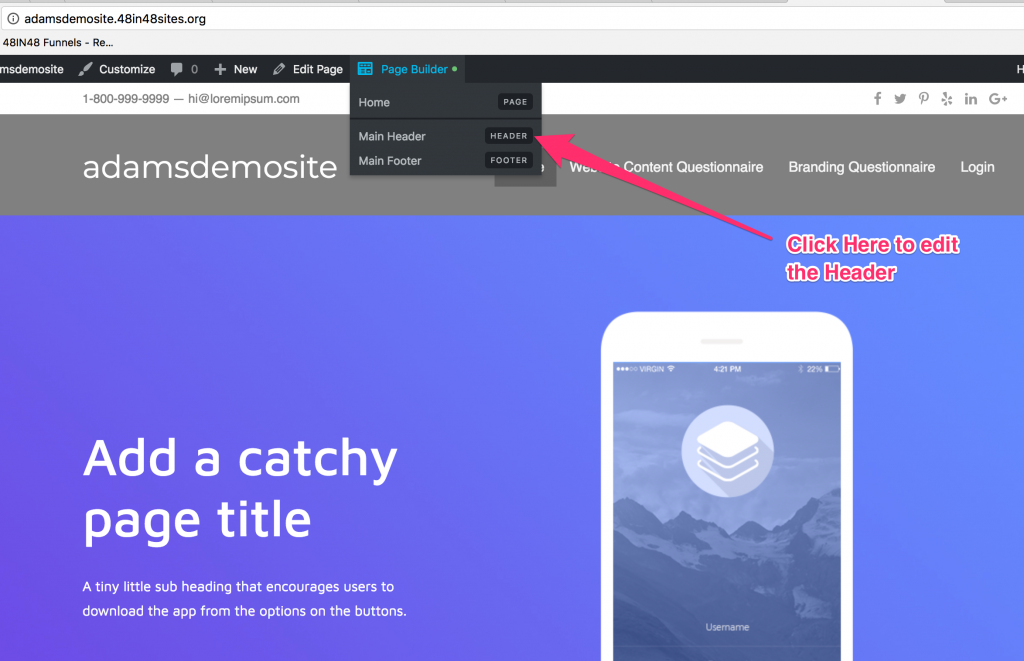
- Now you are able to style your header using the Beaver Builder page builder that you have already been using.
A Step by Step Build GuideBeaver Builder Basics